20 November 2013
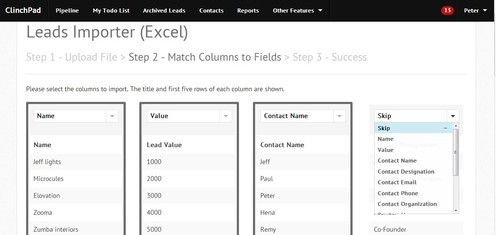
A lot of our users have requested us to build a feature to import leads directly from Excel and CSV files. Now, you can seamlessly import leads directly from Excel and CSV files into your ClinchPad account. You can import leads along with the lead values, contacts, products, zones, sources and notes associated with the leads in one go!
The import lead option can be directly accessed from the main pipeline page or from import option inside the settings page.
Once you select the Import option, a wizard will help you import your leads into the account