
The ClinchPad Blog
Month
We’ve introduced a new feature that makes it really easy to track the performance of your sales team - the Daily Activity Snapshots.
This new feature is available only to Admin users (regular users won’t see it). If you hover over Other Features in the Menu bar, you should see a new option ‘Activity’.
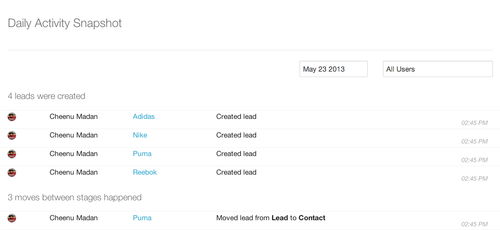
The daily activity snapshot allows once to easily see the day’s activities at a glance. You can think of it as a master activity stream pulling activities from all the activity streams of the leads. On the right corner around the top, you’ll see two textboxes - one that allows you to set the day and another that allows you to see a user’s activity for the day.
Perfect for managers to see what their team has been up to for the day without holding a meeting!|
ClinchPad has been completely open so far. This is because ClinchPad has been designed for teams that trust each other. However, based on feedback from users it seems that ClinchPad is a little TOO open.
Hence, we’ve introduced the Role feature - now when you invite a user to your organization’s ClinchPad account you can select whether the user is an Admin or User.
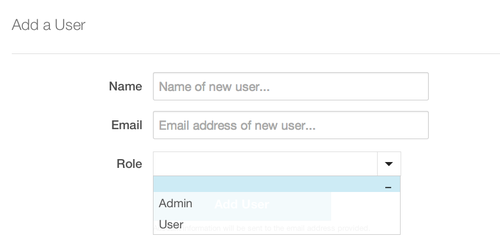
The User role restricts the user from accessing billing information, reports, adding/removing/editing other users and daily performance snapshots of other users. There are no restrictions on the Admin acounnt.
We’re pleased to announce a new feature - zones
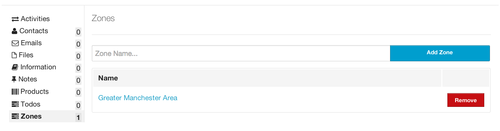
Zones are geographic areas such as ‘East Coast’ or ‘Manhattan’. This is extremely helpful in tracking how well your leads are doing in a certain geographical area. You can add one or more zones to a lead.
You’ll see a new tab in the lead page ‘Zones’. You’ll also see a new option in the top menu bar under ‘Other Features’ called Zones where you can view all the zones you’ve created.