
The ClinchPad Blog
Month
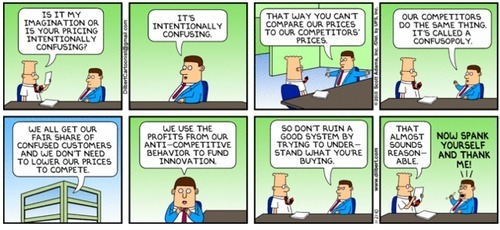
Raise your hands if you have encountered customers who have stated that the price of your offering the reason behind their inability to close the deal. Welcome to the club! A deal isn’t is closed until it is closed. And, pricing could throw a monkeywrench in your otherwise flawless sales management pipeline.
It’s often common for customers to get cold feet during the sales cycle. There could be many factors behind it, but, money is more often the deal breaker with a monstrous might. It’s the one factor that casts a long shadow on the successful closure of a deal irrespective of how many steps you’ve successfully completed.
It’s when you decouple price sensitivity from your product or service is when you become a revenue rocket. However, that’s something that takes careful analysis and an extreme makeover of how your entire sales team collaborates. Measuring how sensitive your audience is about price is the first logical step.
When it comes to understanding the effect of price on sales and revenue, there a few economic theories that you can read about to get a grip of the subject. Price elasticity makes for an interesting read. It helps a business owner figure that million dollar question - “How much more will I sell, if I lowered my price?”.
Price elasticity is a broad concept and you might have to navigate through a ton of marketing jargon. As a matter of fact, it’s one of the favorite subjects for B-School students to take a little nap!
If you are looking for a more direct and simplistic way to get the pulse of the audience when it comes to price sensitivity, Van Westendorp is your friend!
Proposed by Van Westendorp in 1976, the Price Sensitivity Meter (PSM) is a technique to measure consumer price preferences. A favorite go to technique for market researchers worldwide, PSM is attractive and appealing because of its simplistic approach.
We’ve recently launched a new feature for team leaders and managers.
Now, for an individual team member, you can set up email summaries to view
You can have the three types of summaries delivered daily, weekly and monthly. To get started, click on Other Features in the menu bar and then click on Summary.
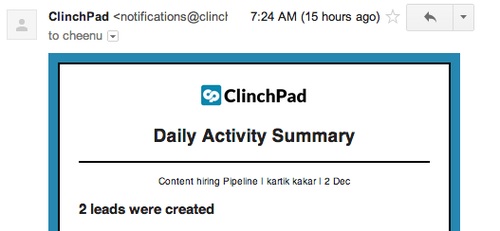
Once set up, you should receive summaries in your mailbox that look like this
If you have any questions about using this feature, please feel free to reach out to us at [email protected] or drop a comment below